ACAT, my first project, 14 years later
ACAT is a step-by-step trigonometry solver in C# built in 2011 for IFPR's first Science Fair. The focus was showing the work instead of just printing the answer. It won 1st place in the Innovation category.
ACAT is a step-by-step trigonometry solver I built in 2011, in my first year of the integrated technical program in Informatics at IFPR, for the campus's first Science Fair. It won 1st place in the Innovation category and was the project that got me into the AVIAO research group the next year.
The stack choice
We were learning the basics of C in class (printf, scanf,
loops). When I heard about the Science Fair, I decided to compete
and to learn something that would give me a well-built graphical
interface: I knew that completely changed the user experience and
could give me an edge in the competition.
I went looking for something that could draw a window. I'd never heard of GUI frameworks. I came across C# and Windows Forms while looking for options, and taught myself enough to build the thing I had in mind: a trigonometry helper that didn't just give the answer, it walked through the steps.
What ACAT does
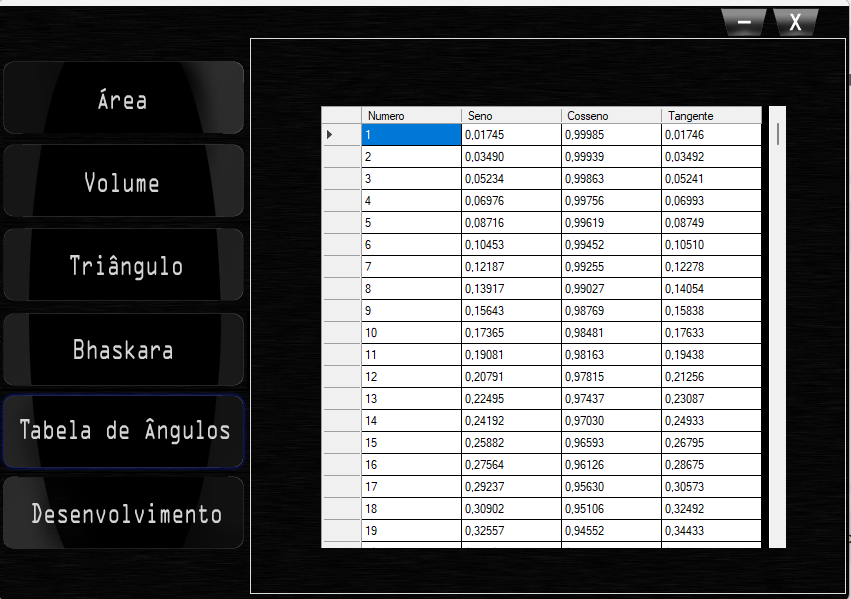
The app has five tabs in a left-hand menu. Three are direct calculators (area, volume, angle table). Two are the parts I actually invested in.
Triangle solver
The centrepiece. You fill in whatever you know about a triangle (two sides, an angle, whatever) and ACAT decides which law to apply (law of sines, right-triangle ratios, or law of cosines) and fills in the rest.
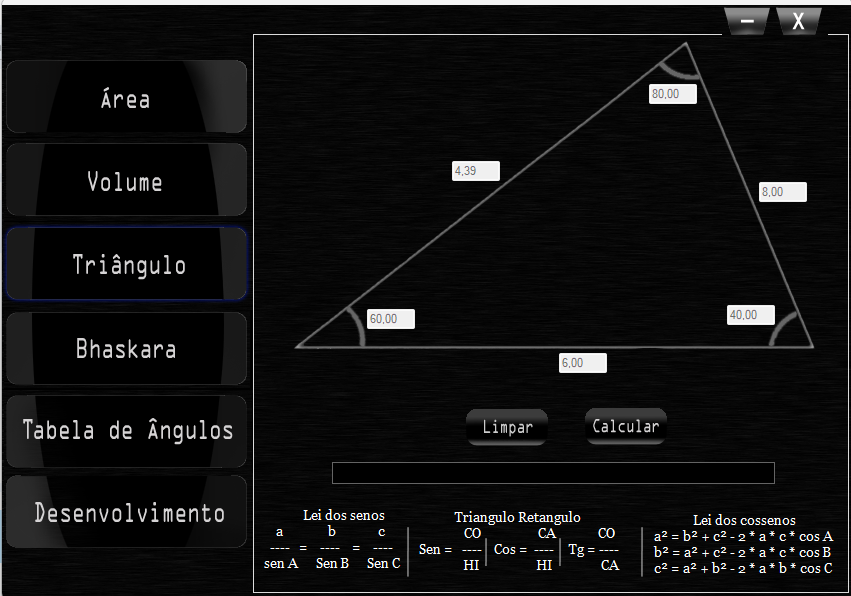
The cheat sheet at the bottom of the screen wasn't just decoration. I wanted students looking at the screen to see which tool was being used on their input, not just the answer. The triangle drawing rescales as the sides change.
Bhaskara, step by step
The other one that got real attention. You enter A, B, C from
a quadratic Ax² + Bx + C = 0, and ACAT shows the entire
derivation:
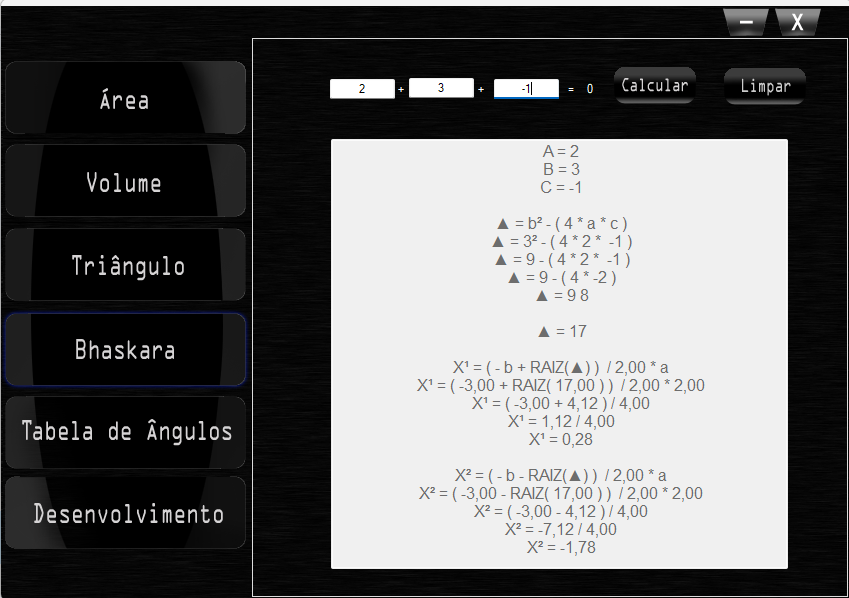
A = 2
B = 3
C = -1

Δ = b² − ( 4 · a · c )
Δ = 3² − ( 4 · 2 · -1 )
Δ = 9 − ( 4 · -2 )
Δ = 9 + 8
Δ = 17

X¹ = ( -b + √Δ ) / 2 · a
X¹ = ( -3.00 + √17.00 ) / 2.00 · 2.00
X¹ = ( -3.00 + 4.12 ) / 4.00
X¹ = 1.12 / 4.00
X¹ = 0.28
Showing the work mattered. A black box that prints
x = 0.28, x = -1.78 isn't a teaching tool. It's a worse
calculator.
The student grabs the answer and moves on, without understanding that Bhaskara was applied there, without seeing where the discriminant entered, without connecting the formula to the number on the screen. The full derivation exists precisely to force that connection while the answer happens. That's the principle ACAT carries across every tab: the step-by-step is the product, not the final answer.
The three calculators
The other three tabs round out the app:
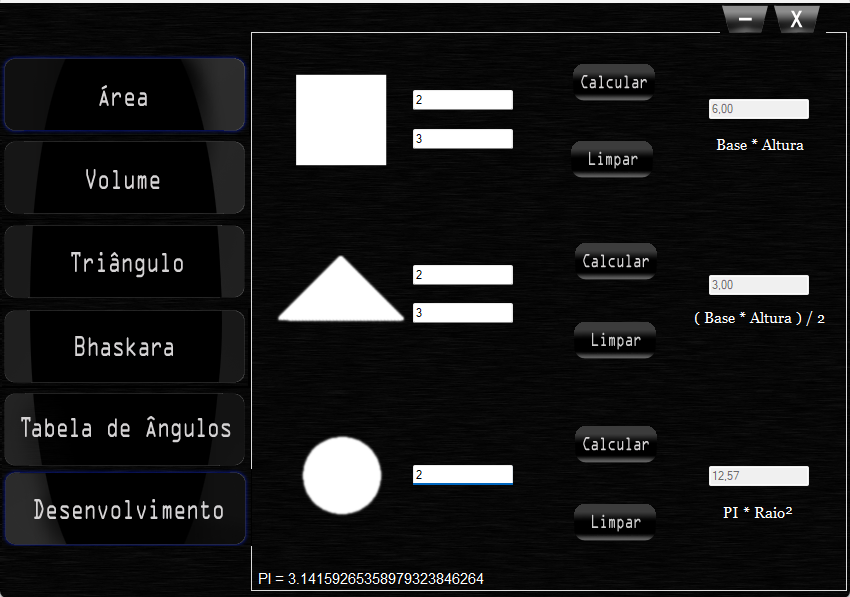
- Area: square (b × h), triangle (b × h / 2), circle (π · r²).
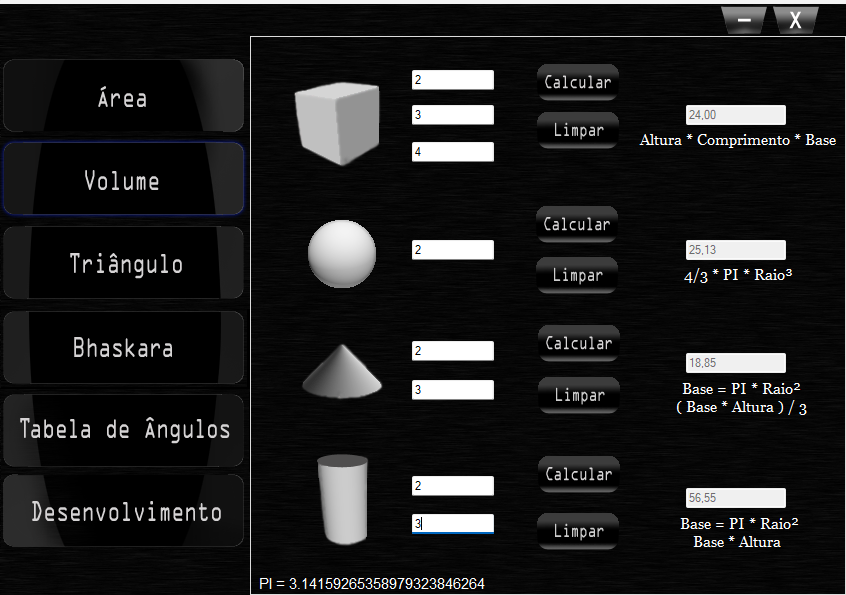
- Volume: cube, sphere, cone, cylinder, with the formula shown next to the result.
- Angle table: pre-computed sin/cos/tan from 1° to 360°.
The Science Fair
I competed against students from upper years of high school and from the university programmes on the campus. ACAT won 1st place in the Innovation category.
What landed was that a first-year high-school student had taught himself a language outside the curriculum to solve a presentation problem. Everyone at the workshop assumed C was the constraint. I'd treated C as the input and gone looking for the right tool.
AVIAO
Because of ACAT, the math professor, who had a side interest in programming and AI, invited me into a research group he was putting together: AVIAO, Ambiente Virtual Inteligente de Aprendizagem Orientada (Intelligent Virtual Environment for Oriented Learning). There's a separate post about it.
The ACAT .exe still launches on Windows. It's unsigned (it's from 2011), so SmartScreen will warn. The source isn't on GitHub; this project predates my Git habits by years.
Download ACAT.exe · Windows · ~1 MB